ICT Order Block Signal Engine Complete Tutorial: From Theory to 10 Enhancements, From Backtesting to Live Alignment
A complete tutorial on implementing ICT Order Block trading theory using vectorized Python, paired with 10 enhancements that go beyond the original PineScript (bidirectional OB, mitigation tracking, ATR-based dynamic SL, volume confirmation, Displacement, FVG, EMA trend filter, session filter, freshness scoring, zone scoring). Covers the Brain + Hands hybrid architecture, the full StrategyConfig parameter set, and the consistency guarantees between BacktestEngine and LiveEngine.
Why Write This Article?
Today, the barrier to entry for quantitative trading has dropped dramatically — one machine, a set of historical data, and a chunk of PineScript / Python code is enough to run a backtest. But a low barrier doesn't mean it's easy to make money. Most self-written strategies lose money when they hit live trading.
I wrote a signal engine inside signals_module.ict_ob with the goal of vectorizing the "ICT Order Block" structural trading theory in Python, and I built in 10 enhancements over the original PineScript. This article is a complete tutorial: after reading it, you should be able to
- Explain what an Order Block (OB) is and why it can predict reversals
- Know which two layers make up this engine (Brain + Hands) and why they need to be separated
- List the 10 enhancements and the problem each one solves
- Tune the
StrategyConfigparameters yourself, run backtests, and read the results - Know how the live side plugs into MT5 and how it stays consistent with the backtest
The whole article uses XAUUSD (M5) as the main scenario — because this engine was designed for gold trading.
Source code referenced in this article: signals_module.ict_ob/Key files:signals.py(signal generation),config.py(strategy parameters),backtest/engine.py(backtest),live/engine.py(live trading)
1. Background: XAUUSD and Algorithmic Trading
XAUUSD is spot gold traded in the London / New York sessions, denominated in USD. It's quite different from ordinary stocks:
- 24-hour trading (Monday through Friday, almost no breaks)
- Tight spreads, high liquidity (London + New York overlap)
- High volatility (daily swings of ±$20-50 are common)
These characteristics make XAUUSD well suited to short-term strategies on the M5 (5-minute) timeframe, and it's also the most common application target for the ICT Order Block structural theory.
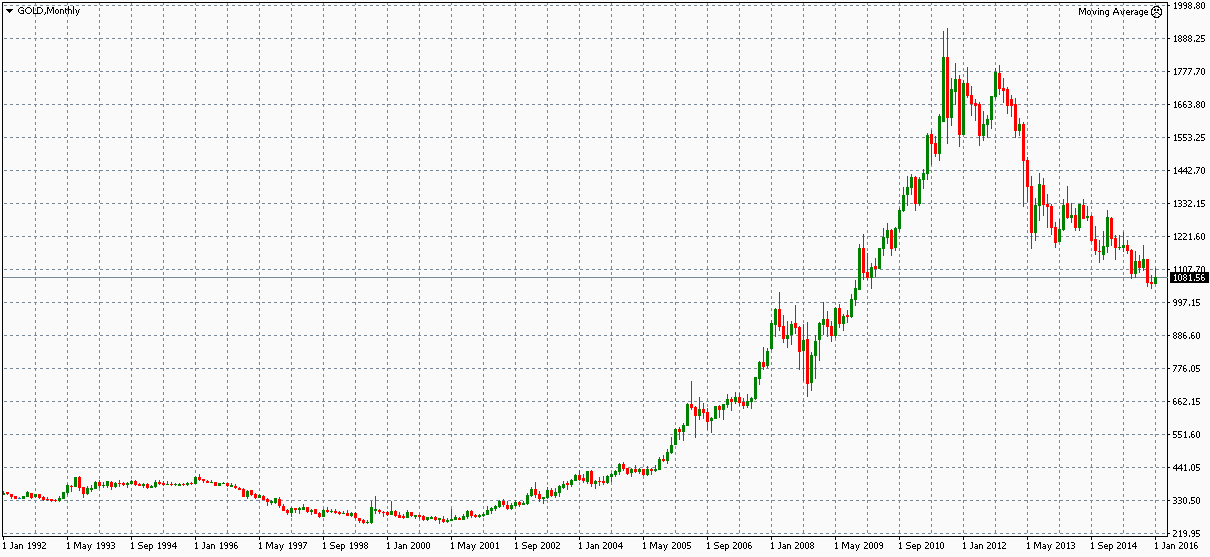
Gold's long-term appreciation trend, combined with M5-level short-term volatility, provides a natural strategy stage for "trade with the major trend, catch short-term pullbacks."
1.1 Why Build It Yourself?
| Method | Pros | Cons |
|---|---|---|
| TradingView built-in indicators | Zero code | Can't customize, can't auto-trade live |
| Third-party EA (MT5) | Plug and play | Black box, opaque, paid, may not match your risk rules |
| Write your own Python | Full control, iteratable, integrates with research workflow | Need to code, need strict backtest discipline |
This engine belongs to the third category. The underlying logic is 100% open; want to change any line (say, add a macro news filter, switch from M1 to H1), you can do it in a few minutes and re-run the backtest.
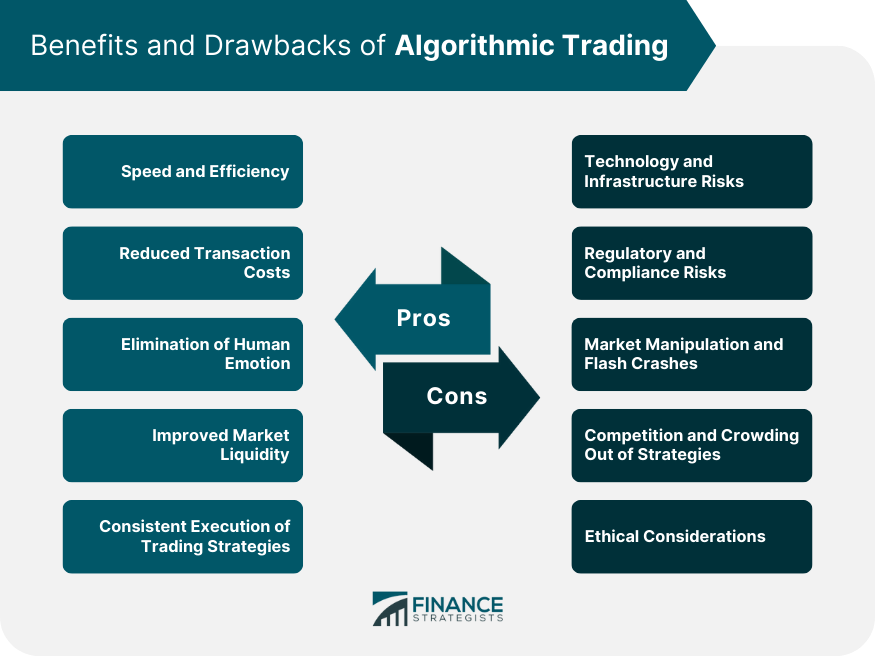
The essence of algorithmic trading is not "the computer picks stocks for you," but "turning your trading rules into code that can be executed repeatedly."
2. What Is an Order Block (OB)?
This theory comes from ICT (Inner Circle Trader). The core idea:
When a large player (institution, market maker) wants to buy or sell quickly at a certain price level, they leave behind a specific group of candles. When the price later retraces to this zone, that capital tends to step in again — this zone is called an Order Block.
OB is similar to traditional Support / Resistance, but with two key differences:
- OB is identified by a specific candle structure, not by subjective line-drawing
- OB has a "lifespan" — once broken, it's invalidated (called *Mitigation*) and can't be used anymore
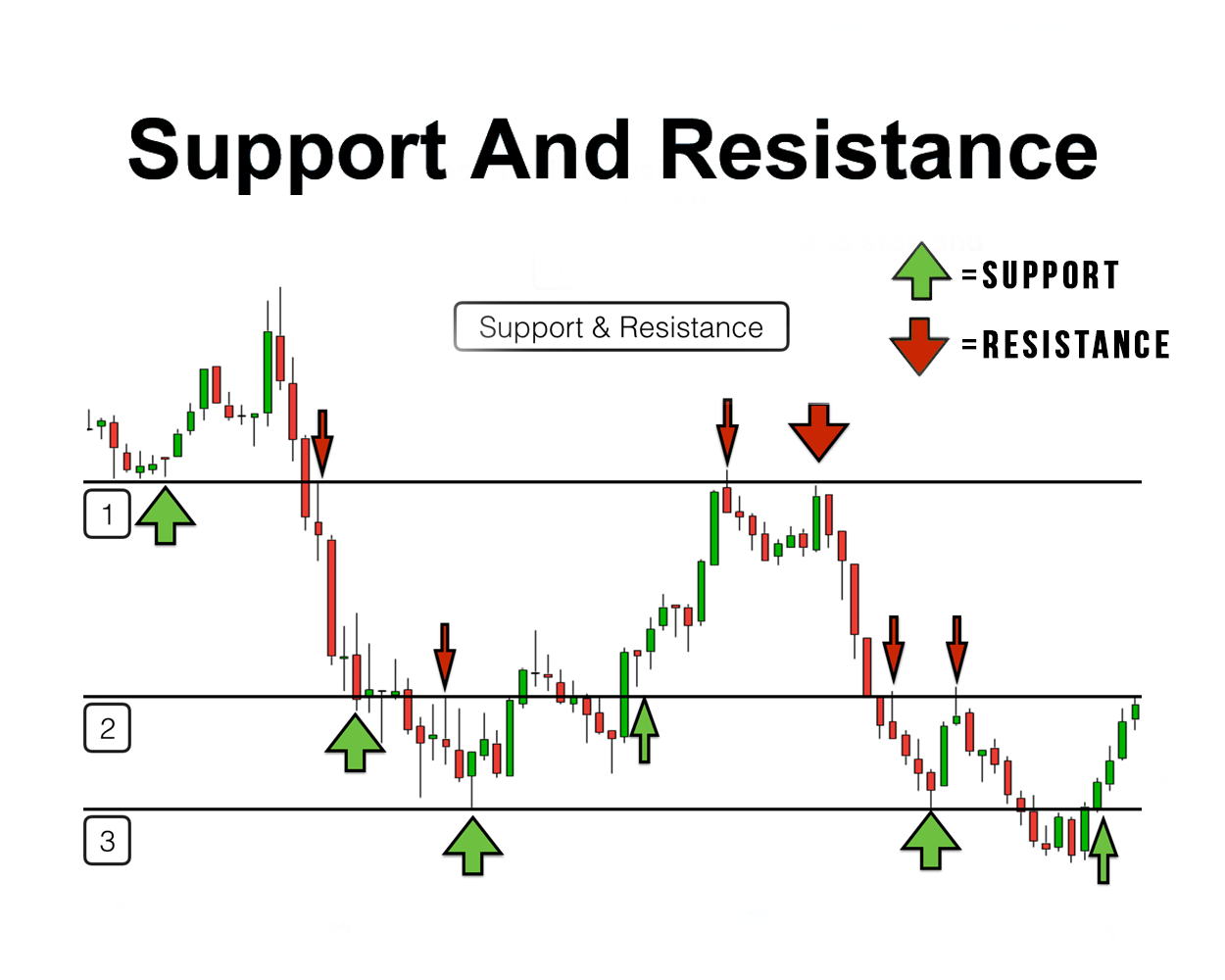
An Order Block is "evidence-backed" support/resistance — not just drawing a line and calling it a level.
2.1 Two Types of OB
| Type | Alias | Structure | Use |
|---|---|---|---|
| Bullish OB | Demand OB | Pivot Low (local minimum) → the most recent Bearish (red) candle before it | Wait for price to retrace, go long |
| Bearish OB | Supply OB | Pivot High (local maximum) → the most recent Bullish (green) candle before it | Wait for price to retrace, go short |
#### Bullish OB "Base Candle" Example
A Base Candle means "the OB's boundary is defined by this candle." A Bullish OB's Base Candle is always a red candle (close < open), because it represents the "last strike in a down move."
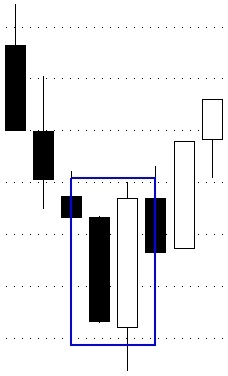
The engine uses similar logic: after detecting a Pivot Low, it searches backward up to 5 candles to find the nearest red candle as the Base Candle.
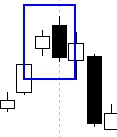
#### Bearish OB "Base Candle" Example
A Bearish OB's Base Candle is always a green candle (close > open) — the "last strike in an up move."
2.2 How Do You Quantify "Finding OBs"?
PineScript's ta.pivothigh() / ta.pivotlow() functions have to be rewritten from scratch in Python. Our implementation (in signals.py):
def _detect_pivot_high(highs, left=2, right=2):
    # bar i is a Pivot High if its high is strictly greater than the high of left bars before and right bars after
    # returns a value only on the confirmation bar (i + right)
    # other bars are NaN
    ...
This function is O(n × (left + right)), fully vectorized; 200K candles run in about 0.5 seconds.
3. Engine Architecture: Brain + Hands
This engine adopts a Hybrid Architecture:
- Brain (the thinking layer) —
signals.py
- Pure functions, stateless, vectorized
- Takes a DataFrame in, returns a DataFrame with signals out
- Backtest and live trading share the exact same code
- Hands (the execution layer) —
backtest/engine.py+live/engine.py
- Object-oriented, stateful, iterates bar by bar
- Handles orders, positions, friction costs
- The two engines correspond to backtesting and live trading respectively
MT5 / CSV Data
      ↓
┌───────────────────────────────┐
│  Brain (signals.py)           │
│  prepare_data()               │
│  detect_order_blocks()        │
│  generate_signals()           │
│  ─── pure functions, stateless ─── │
└──────────┬────────────────────┘
           ↓  DataFrame with signal/sl/tp
┌──────────┴────────────────────┐
│  Hands                        │
│  ┌─ BacktestEngine (回測)     │
│  │  • Simulate fills bar by bar │
│  │  • Calculate commission + slippage │
│  │  • Compute win rate, Sharpe, MDD │
│  └─ LiveEngine (實盤)         │
│     • POST orders to trading API │
│     • Force-close positions after timeout via MT5 │
└───────────────────────────────┘
3.1 Why Separate Brain and Hands?
This is the engine's most important architectural decision. Three reasons:
- Testability — The Brain is pure functions, verifiable step by step in Jupyter; the Hands are I/O boundaries, the hardest to test, so keep them thin
- Consistency guarantee — Backtest and live trading call the same
generate_signals(), guaranteeing 100% identical behavior - Optimization headroom — The Brain can be fully vectorized with numpy/pandas; the Hands must iterate bar by bar (simulating real fills), so their optimization strategies are completely different
Design principle: The Brain holds no state. The Hands do no indicator computation.
4. Signal Generation Flow (Brain Layer)
The whole Brain layer is split into three steps, each step an independent function.
4.1 `prepare_data()` — Compute Technical Indicators
Takes a raw OHLCV DataFrame, returns one with these columns added:
| Indicator | Formula / Source | Use |
|---|---|---|
atr | 14-period mean true range | Dynamic stop loss / OB size scoring |
rsi | 14-period relative strength index | RSI filter (off by default) |
ema_fast | 50-period EMA | Trend filter (short-term) |
ema_slow | 200-period EMA | Trend filter (long-term) |
vol_ma | 20-period volume moving average | Volume filter |
All computed with pandas / numpy, no for-loops; 100K candles in < 1 second.
4.2 `detect_order_blocks()` — Detect OBs
This step ports the PineScript logic to Python and adds one key enhancement: bidirectional detection.
The original PineScript only detects Bearish OBs (short opportunities). This engine adds Bullish OBs (long opportunities); both use the same pivot detection logic:
| Step | Bearish OB | Bullish OB |
|---|---|---|
| 1. Detect Pivot | ta.pivothigh confirmation bar | ta.pivotlow confirmation bar |
| 2. Search Backward for Base Candle | Nearest green candle (close > open) | Nearest red candle (close < open) |
| 3. OB Boundaries | Top = Pivot High, Bottom = Base Candle Low | Top = Base Candle High, Bottom = Pivot Low |
| 4. Use | Price retraces later, go short | Price retraces later, go long |
The search window is controlled by the base_candle_search parameter (default 5), meaning search up to 5 candles back for the Base Candle. If not found, give up — don't force a more distant candle.
4.3 `generate_signals()` — Generate Trade Signals
The most complex step. Iterates bar by bar, deciding whether to emit a signal based on the current price, the active OB list, and various filters.
for i in range(start_i, n):
    atr_val = atr_arr[i]
    # 1. OB mitigation check
    # 2. OB expiration check
    # 3. Trend filter
    # 4. Session filter
    # 5. Volume filter
    # 6. RSI filter
    # 7. Displacement filter
    # 8. Long: price retraces into active Bull OB zone
    # 9. Short: price retraces into active Bear OB zone
This loop looks O(n × active_OB_count) on the surface, but because:
- numpy is used to pre-extract columns (avoiding the overhead of
df.iloc[i]returning a Series) - the OB list shrinks each time one is mitigated or expires
- early stop: once a long signal fires on a bar, no further short attempts
200K candles of M5 data (≈ 2 years) runs end-to-end in 30 seconds → < 1 second.
5. 10 Enhancements (Compared to the Original PineScript)
Compared with the original PineScript version, this engine implements 10 meaningful enhancements. Each one solves a specific trading problem, not added for the sake of it:
| # | Enhancement | Problem Solved |
|---|---|---|
| 1 | Bidirectional OB detection | Original only had Bearish OB, no way to go long |
| 2 | OB Mitigation tracking | Broken OBs are automatically invalidated, avoiding entries on dead OBs |
| 3 | ATR-based dynamic stop loss | Different volatility regimes need different SLs; fixed pips isn't rational |
| 4 | Volume confirmation | Filters out "no-volume" fake breakouts; only enter when volume confirms |
| 5 | Displacement filter | Requires strong-momentum candles to confirm OB validity |
| 6 | FVG detection | Additional signal confirmation (Fair Value Gap = price gap) |
| 7 | EMA trend filter | Trade with the trend, don't swim against the current |
| 8 | Trading session filter | Avoid the early Asian session and thin cross-day periods |
| 9 | OB freshness score | Prioritize OBs that haven't been tested yet |
| 10 | OB zone scoring system | Comprehensively evaluates OB quality; skip entries below a threshold |
5.1 The OB Scoring System (Highlight)
This is the most practical enhancement. The _score_ob() function quantifies OB quality as a 0-1 score, weighted across four dimensions:
| Dimension | Weight | Calculation |
|---|---|---|
| Size (relative to ATR) | 0.3 | 0.5-2.0 ATR is optimal; too small or too large gets penalized |
| Volume | 0.3 | Volume ≥ 1.5× average = full marks |
| Freshness | 0.2 | Newer is higher; beyond ob_max_age is 0 |
| Distance | 0.2 | Closer to current bar is higher |
The minimum score threshold is controlled by min_ob_score (default 0.3). OBs scoring below the threshold are skipped outright and not considered for entries.
The benefit of the scoring system: it turns the subjective judgment of "does this OB look OK?" into a 0-1 number. During backtests you can compare the win rate of "OBs with score > 0.6" to quantitatively verify which OBs are actually better.
5.2 Toggle Switches for the Enhancements
All 10 enhancements are toggleable. The StrategyConfig dataclass has corresponding bool parameters, with these defaults:
use_displacement_filter = True   # ON — default on
use_fvg_filter          = False  # OFF — default off (signals too sparse)
track_mitigation        = True   # ON
use_ob_scoring          = True   # ON
use_trend_filter        = True   # ON
use_session_filter      = True   # ON
use_rsi_filter          = False  # OFF
use_volume_filter       = True   # ON
Want to A/B test? Run a backtest with--no-scoring, then run again with defaults, and compare. The CLI flags onrun.pyall map to these parameters.
6. `StrategyConfig`: All Tunable Parameters
This dataclass centrally manages all strategy parameters; backtest and live trading share the same config, avoiding the common trap of "profits in backtest, losses in live."
6.1 Signal Parameters
| Parameter | Default | Suggested Range | Effect |
|---|---|---|---|
pivot_left_bars | 2 | 2-5 | Larger = fewer OBs, but each more significant |
pivot_right_bars | 2 | 2-5 | Larger = more confirmation delay, but OB more stable |
base_candle_search | 5 | 3-10 | Larger = easier to find a Base Candle, but might find too old a one |
reward_ratio | 2.0 | 1.5-3.0 | 2.0 = exit after making 2× the risk |
sl_atr_coeff | 1.0 | 0.5-2.0 | How many ATRs the SL sits beyond the OB boundary |
ob_max_age | 50 | 20-100 | After how many candles an OB is considered expired |
6.2 Filter Switches
(See section 5.2 above.)
6.3 Execution Parameters (Hands Layer)
| Parameter | Default | Effect |
|---|---|---|
initial_capital | 100,000 | Starting capital (for backtest) |
commission_rate | 0.0002 | Commission rate (2 basis points) |
slippage | 1.0 | Slippage (in XAUUSD terms, $1) |
max_holding_bars | 50 | Force-close after timeout (5min × 50 = just over 4 hours) |
position_size | 0.01 | 0.01 lot per trade (1 micro lot) |
Before going live, remember to run withdry_run = Truefor a day or two to confirm the signal frequency and SL/TP distances are what you want. Thesignal_ob_scorecolumn writes the actual OB score and is very helpful to dump out and chart.
7. Backtest Engine (Hands — Backtest)
BacktestEngine takes the signal DataFrame and simulates real trading bar by bar. Key design points:
7.1 Order Lifecycle
@dataclass
class Order:
    direction: int          # 1 = long, -1 = short
    entry_price: float      # Entry price (slippage already applied)
    sl_price: float
    tp_price: float
    exit_price: float = 0.0
    exit_bar: int = 0
    exit_reason: str = ""   # 'SL' / 'TP' / 'TIMEOUT' / 'CLOSE'
    pnl: float = 0.0        # After commission + slippage
    ob_type: str = ""       # 'BULL' / 'BEAR'
    ob_score: float = 0.0
Every trade is an Order object recording entry, exit, P&L, reason, and corresponding OB data. get_trades_df() converts all orders into a DataFrame for easy dump and post-hoc analysis.
7.2 Exit Priority
Check exit conditions bar by bar, in strict priority order:
1. Stop Loss (SL) — exit immediately, highest priority
2. Take Profit (TP) — exit immediately
3. Timeout — force-close if holding longer than max_holding_bars
4. Reverse signal — ⚠️ current version does not support adding to or reversing positions
Note: when the same bar touches both SL and TP (extreme conditions), SL is treated as the exit first (pessimistic assumption). This is one of the most common sources of backtest bias. In the real market the fill might land somewhere between SL and TP.
7.3 Performance Metrics
get_results() automatically computes:
| Metric | Formula / Explanation |
|---|---|
| Total trades | N |
| Win rate | Winning trades / total × 100% |
| Long/short win rate | Computed separately for longs and shorts |
| Profit Factor (PF) | Gross profit / gross loss; bigger is better (> 1.5 = pass) |
| Maximum Drawdown (MDD) | Largest peak-to-trough equity decline (%) |
| Sharpe Ratio | Annualized (× √24192 bars for M5) |
| Average holding bars | Average holding time (in M5 bars) |
| Average OB score | Average quality score of entry OBs |
Wondering if your strategy is overfit? Split the M5 data into two segments (first 70% for training, last 30% for validation) and compare PF and Sharpe across the two. If the gap is more than 30%, it's probably overfit.
7.4 Friction Costs
The backtest must include commission + slippage, otherwise win rate gets overestimated.
This engine charges commission twice per trade (open + close) and applies slippage based on direction:
- Long entry:
close + slippage(pessimistic assumption) - Long exit: SL/TP price as-is (already worst-case)
- Short entry:
close - slippage - Short exit: SL/TP price as-is
For a 0.01-lot XAUUSD order, commission + slippage is roughly $0.3-0.5. If the average PnL is smaller than that, the strategy basically can't make money.
8. Live Engine (Hands — Live)
LiveEngine inherits from LiveEngineBase, sharing infrastructure like the MT5 connection, main loop, and bar timestamp tracking. It only handles the strategy-specific logic for the ICT OB strategy:
8.1 Alignment Guarantees with the Backtest
| Item | Backtest | Live |
|---|---|---|
| Brain functions | prepare_data / detect_order_blocks / generate_signals | Same |
StrategyConfig | Same | Same |
| SL / TP formula | sl = ob_bottom - sl_atr_coeff × atr | Same formula |
| All filters | Controlled by use_* flags | Same flags |
Backtest profits + live losses = 99% of the time it's because backtest and live logic aren't aligned. The core promise of this architecture is to "eliminate that kind of bias."
8.2 Live Main Loop
while True:
    if new_bar_formed():
        df = mt5.copy_rates_from_pos(symbol, M5, 0, lookback_bars)
        df = prepare_data(df, **cfg.get_prepare_kwargs())
        df = detect_order_blocks(df, **cfg.get_signal_kwargs())
        df = generate_signals(df, **cfg.get_signal_kwargs())
        signal = df.iloc[-1]["signal"]
        if signal != 0 and not has_position():
            send_signal(signal, sl, tp)  # POST to trading API
    time.sleep(poll_interval)
Every poll_interval seconds (default 5), check whether a new M5 bar has formed; if so, call the Brain once. If the last bar's signal is non-zero, send the order.
8.3 Forced Test Mode
Two test-only parameters live inside StrategyConfig:
force_signal: bool = False
force_direction: str = "BUY"
With force_signal = True, the first new bar automatically sends a synthetic force_direction signal (ignoring all OB detection). Use it to test:
- Whether the trading API communication works
- Whether the MT5 order execution flow works
- Whether risk management (position caps, per-trade amount caps) is taking effect
Before going live, you must set dry_run = True and run for 2-3 days. During that period no real money is deployed, but all signals and order logs are written out.9. How to Run It Yourself
9.1 Environment Setup
# Make sure you use native Python 3.10
& "C:\Users\Rick\AppData\Local\Programs\Python\Python310\python.exe" -m pip install MetaTrader5 pandas numpy
9.2 Run Backtest
# Use simulated data (default)
& "C:\Users\Rick\AppData\Local\Programs\Python\Python310\python.exe" -m signals_module.ict_ob.backtest.run

# Use real MT5 data
& "C:\Users\Rick\AppData\Local\Programs\Python\Python310\python.exe" -m signals_module.ict_ob.backtest.run --data data/data_XAUUSD_M5.csv

# Adjust reward/risk ratio
& "C:\Users\Rick\AppData\Local\Programs\Python\Python310\python.exe" -m signals_module.ict_ob.backtest.run --reward-ratio 3.0

# Disable some filters for A/B testing
& "C:\Users\Rick\AppData\Local\Programs\Python\Python310\python.exe" -m signals_module.ict_ob.backtest.run --no-displacement --no-scoring
9.3 Run Live
# Default dry_run = True (recommended — start with this for 2-3 days)
& "C:\Users\Rick\AppData\Local\Programs\Python\Python310\python.exe" -m signals_module.ict_ob.live.run

# Real-money mode (⚠️ real money)
& "C:\Users\Rick\AppData\Local\Programs\Python\Python310\python.exe" -m signals_module.ict_ob.live.run --no-dry-run
9.4 How to Read the Results
After the backtest finishes, get_results() prints a matrix. Focus on these 4 numbers:
Total trades       → < 50 = sample too small, conclusion unreliable
Win rate           → > 45% + PF > 1.3 = initially acceptable
Max Drawdown (MDD) → < 20% = risk control acceptable
Sharpe Ratio       → > 1.0 = reasonable risk-adjusted return
⚠️ Don't go live if any of these fail. For 1-2 years of M5 data, strategies with PF < 1.2 and Sharpe < 0.8 in backtest will lose money live 99% of the time.
10. How to Modify the Engine Yourself
The engine's design encourages two kinds of modifications:
10.1 Add a New Filter
The most common kind of change. For example, to add a "forex news event filter":
- Add
use_news_filter: bool = FalseinStrategyConfig - Add a block in
generate_signals()(takes a news calendar DataFrame as an extra input) - If it fails,
continuedirectly
This change only affects the Brain layer; the Hands layer doesn't need to change at all.
10.2 Switch Timeframes
Default is M5. Want to try M15 / H1:
- Change
StrategyConfig.symbolandtimeframevalues - Re-run backtest (no code change needed)
- Note that
ob_max_age,pivot_left_bars, etc. need to be scaled to the timeframe
For example, M15's ob_max_age should be adjusted from 50 to around 17 (roughly M5 × 50 / 15 ≈ 167 bars / 15 ≈ 11; practically 17-25 works better).
10.3 Add a New Exit Rule
For example, to add a "Trailing Stop":
- Add a new condition in
BacktestEngine._check_exit() - Compute the trailing SL (e.g., move SL closer by 0.5× ATR each bar)
- Re-run backtest and compare
⚠️ Be extra careful when modifying the Hands layer — backtest/live bias is most likely to creep in here. After changes, run live with dry_run = True for several days.11. Common Pitfalls
11.1 Look-Ahead Bias
Rule: All Brain layer computations must use only data from bar i and earlier.
This engine already enforces this strictly (all numpy extractions use [i], never [i+1]). But if you add new features yourself (e.g., want to use "the next candle's high for the SL"), you'll break this guarantee.
11.2 Overfit
The easiest place to fall into this is StrategyConfig parameter tuning. If you keep changing parameters after backtesting, re-running backtest, changing again... and after 100 rounds pick the best result, what you have is selection bias, not real performance.
Good habit: use walk-forward validation. Slice the data into multiple segments; for each, use the front portion for training and the rear portion for validation. Take the average of all validation segments as the final result.
11.3 Signals Too Sparse / Too Dense
If generate_signals() only emits one signal every 100 candles, statistical significance is insufficient.
If it emits 5 signals every 10 candles, overtrading; commission eats the profit.
Ideal frequency (one year of XAUUSD M5 data):
- Signals emitted: ~ 100-300 trades
- Average holding: ~ 10-30 bars (50-150 minutes)
11.4 LiveEngine vs BacktestEngine Behavior Mismatch
If live performance is clearly worse than backtest, the first step is to dump the last 50 live candles and run them through the backtest for comparison. 99% of the time you'll find:
- NaNs in the data
- Different time windows
- Some trading sessions being skipped
- A filter that got turned off in live
12. Closing
The engine's true value is not "making money for you automatically" — anything that claims so is a scam. The real value is:
- Fully codifying a trading theory, making it research-friendly and iteratable
- Strict layered architecture, keeping backtest and live behavior consistent
- 10 enhancements, each addressing a specific trading problem
- Readable, modifiable, auditable — all logic spread across 4 Python files
Writing an algorithmic trading system is essentially writing "your own personal trading decision book."
If you write code even you can't read, that strategy can never be improved continuously.
Next steps you could take:
- Port this engine to TradingView PineScript (use the
mcp_tradingview_*tools to auto-write + test) - Switch from M5 to M15 and compare Sharpe across the two TFs
- Add a walk-forward validation script for stricter out-of-sample testing
- Integrate with a forex news calendar for event filtering
Remember: strategy iteration is a lifelong endeavor. This engine is just a starting point, not the destination.
⚠️ Disclaimer: This article is for educational purposes only and does not constitute investment advice. Investing involves risk.